One family of programs for your laser, CNC mill and pen plotter
Design or import a drawing, give every layer a job, look at the result in the preview and send G-code to the machine. The same window, the same tools and the same shortcuts in all three programs.
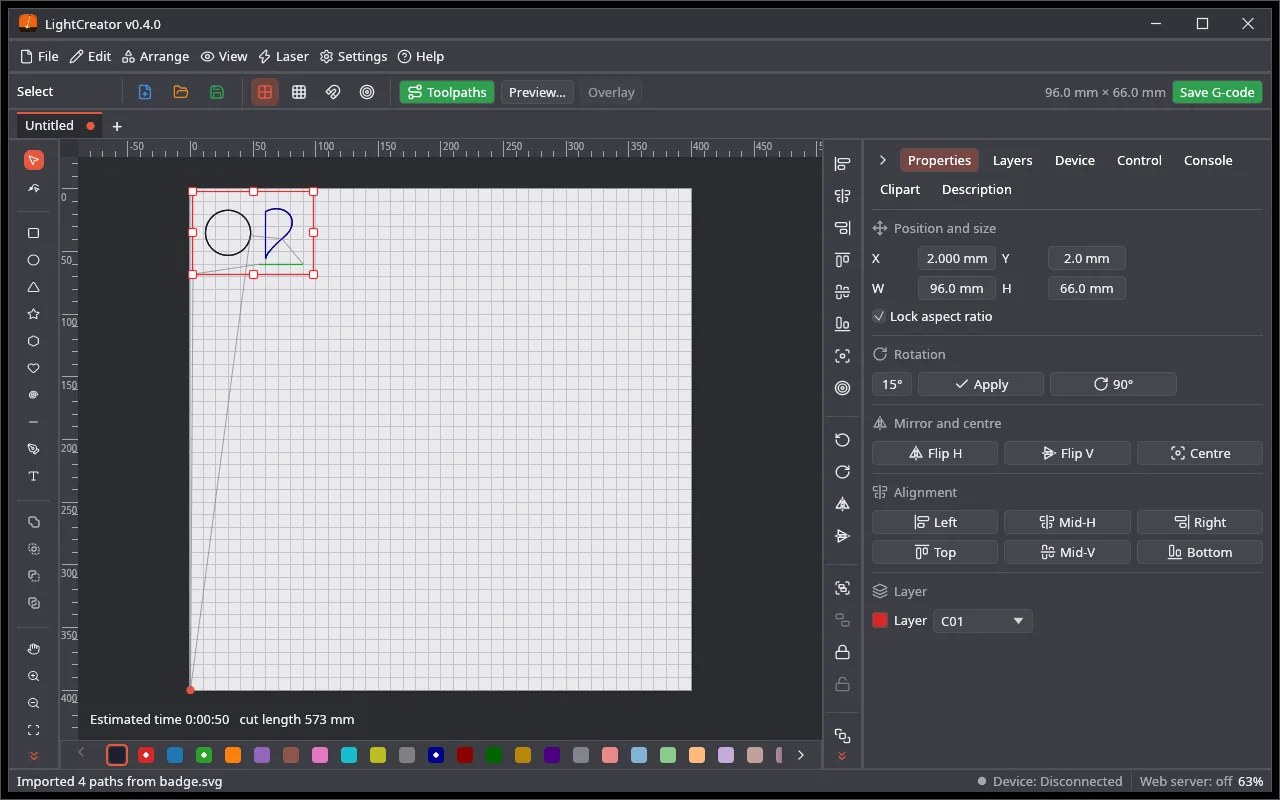
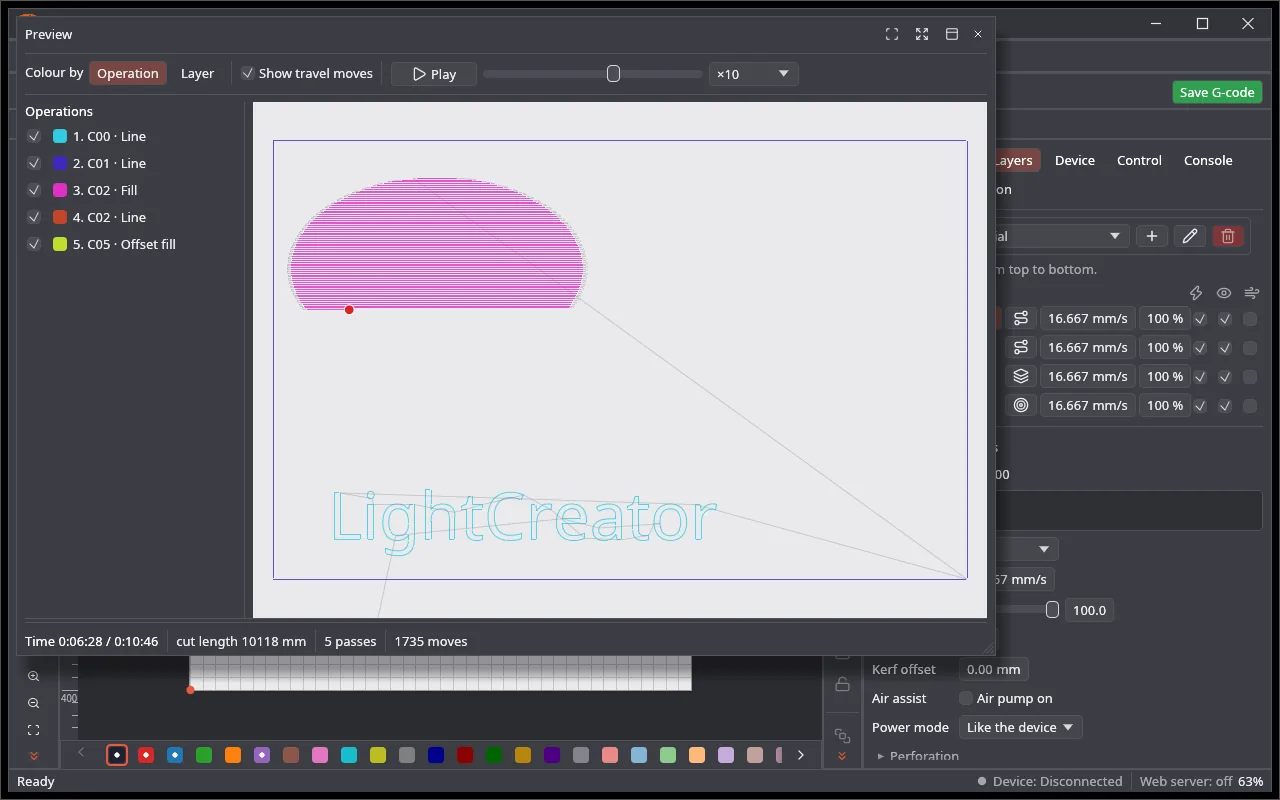
An open-source alternative to LightBurn. Cut layers, line, fill and image engraving with six dithering methods, a camera overlay, a toolpath preview with the time of the job and a G-code viewer.
GRBL (0.7 to 1.1 and newer) and Marlin over a serial port or the network
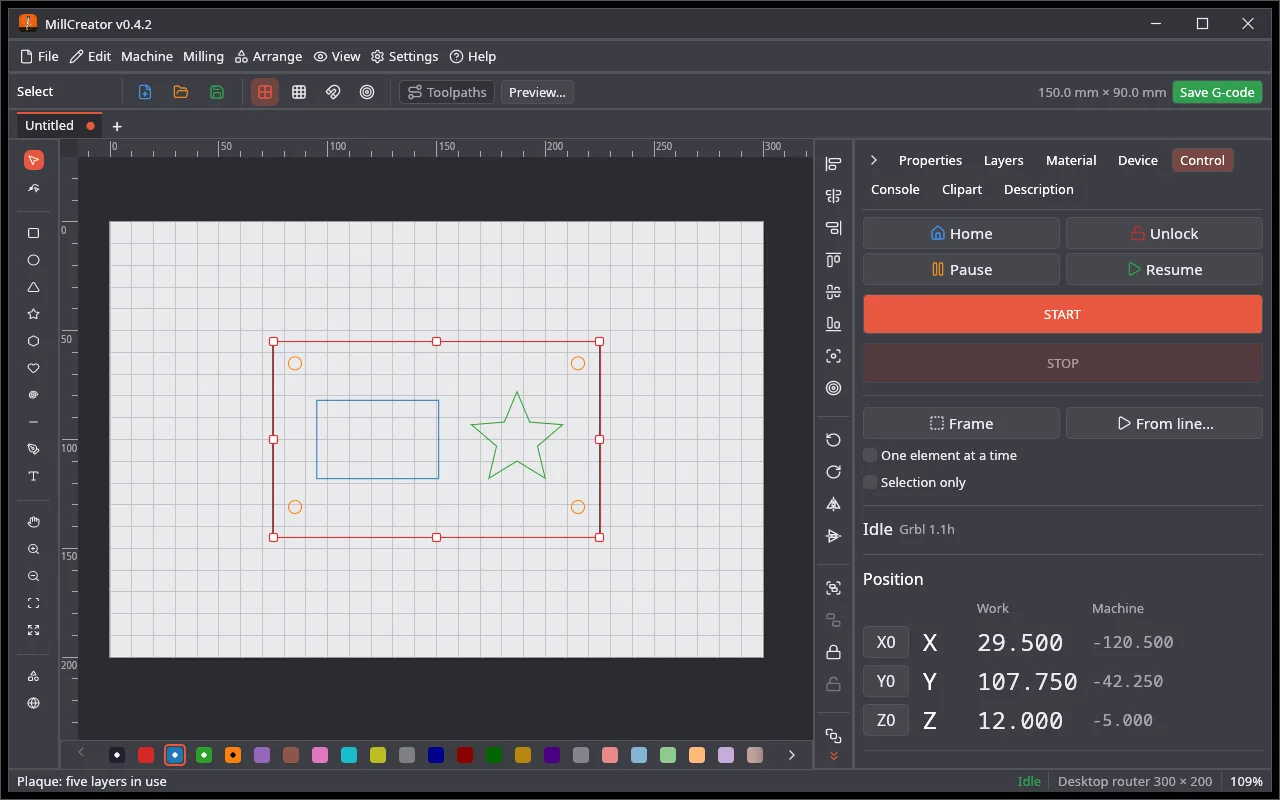
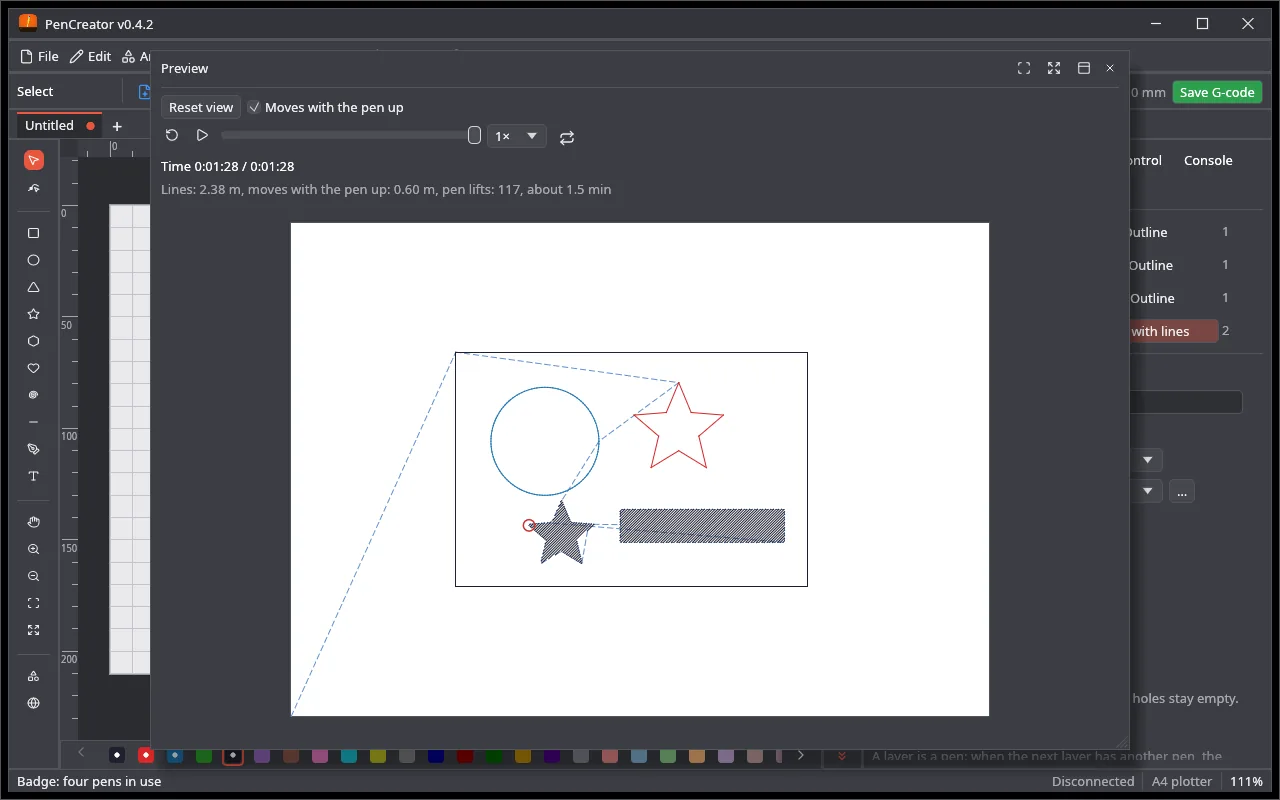
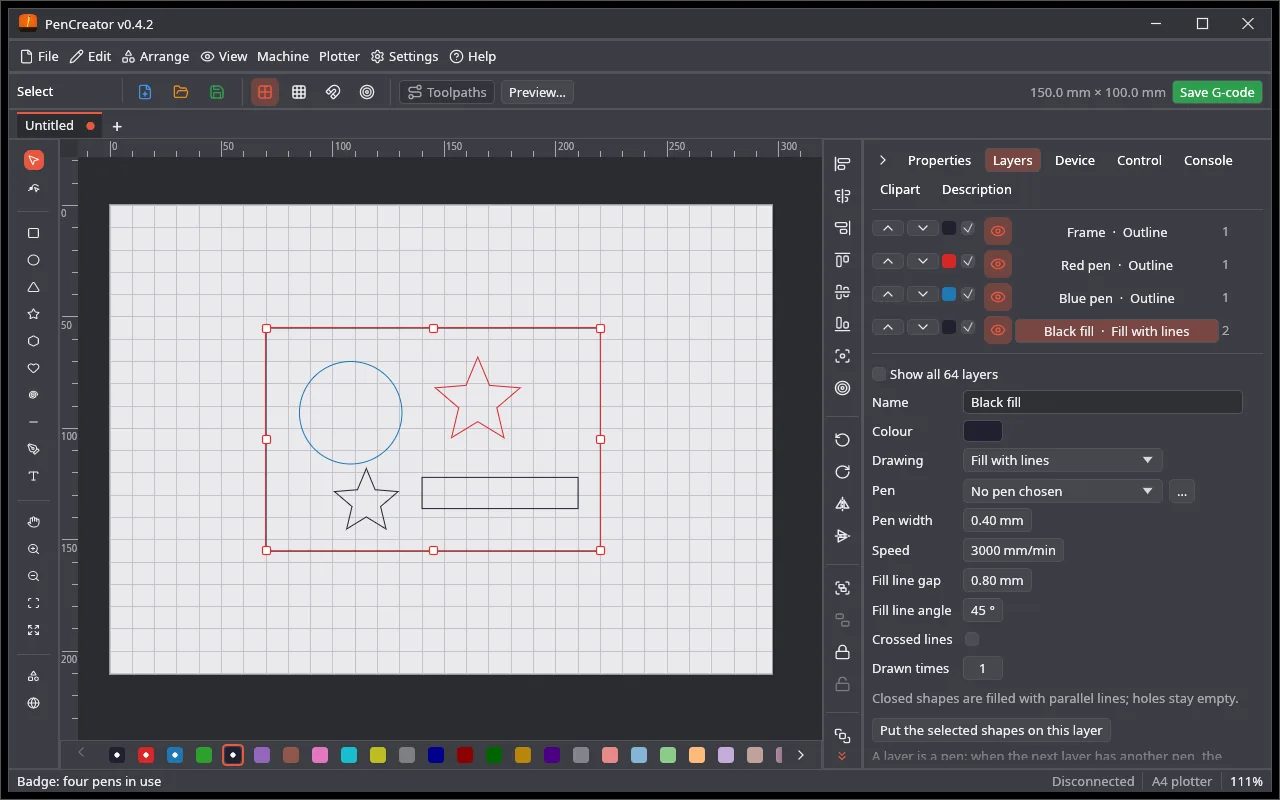
The editor with the Properties tabThe preview of a job
MillCreator
CNC milling machines
Works on a real machinev0.4.2
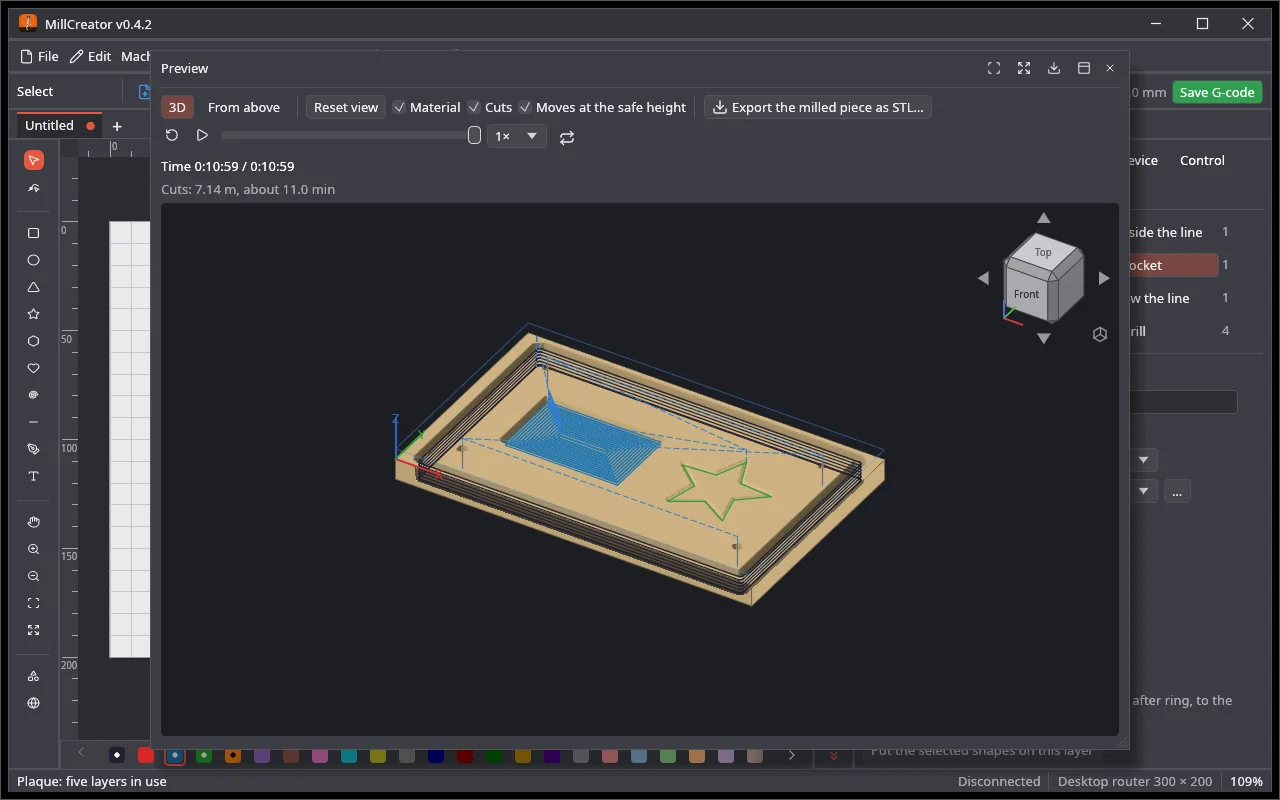
Layers with an operation (outside, inside, on the line, pocket, drill) and a bit from the library, a 3D preview of the material, picture engraving and 3D relief, streaming to GRBL (0.7 to 1.1 and newer) with probing and macros.
The 3D preview of the cutsThe Control tab: START / STOP, position, jogging
PenCreator
Pen plotters
Early: not yet tried on a real plotterv0.4.2
Pens as layers: colour, width, speed, outline and fill lines. A plot preview with the pen-up moves, the number of lifts and the time, stroke ordering to shorten the moves, and a pause to change the pen.
Z axis or a servo pen lift, GRBL 0.7 to 1.1 and newer
All three programs share one core, so a new tool or fix lands in every one of them.
30 languages
Polish, English, German, Spanish, Chinese, Hindi, Greek and more. Switch in the start window.
Windows, macOS, Linux
Installers for Windows, .dmg for Apple silicon and Intel, .deb and .tar.gz for x86_64 and ARM64.
Free and open
MIT or Apache-2.0. No account, no subscription, no telemetry.
Imports what you have
SVG, PDF and Illustrator files, bitmaps with tracing, LightBurn projects (.lbrn2) and UGS Designer designs.
A shared clipart gallery
310 pictures in 9 categories, your own pictures and online search of open icon collections.
One project file
A .cre project keeps one drawing with a section for every program, so you can laser a part and mill another.
A G-code viewer
Open any G-code file from the start window, without a project: flat or in 3D, with travel moves, colour by height, size and time.
A navigation cube
Click a face, an edge or a corner of the cube in a 3D view to look from there, the same as in FreeCAD.
Control the machine
Jogging, probing, start from a line, macros, the firmware settings and calibration, over a serial port or the network.
Tabs of drawings
Open up to 10 drawings at once, each in its own tab. Ctrl+1…9 switches, Ctrl+W closes, and on exit every unsaved tab is asked about, each with its own recovery file.
The same Control tab
Home, Unlock, Pause and Resume, START and STOP, jogging and speed look and work the same in the laser, the mill and the plotter.
Trace the work first
Go round the job before you start it: the box in every program, and in LightCreator also the line that wraps all the shapes, like a rubber band.
One element at a time
Burn, cut or draw each element completely, all its layers and passes, before the next one, or only what you have selected: two switches in the Control tab.
The camera beside your drawing
The live camera view as a tab next to your drawings, fitted to the window, or in a window of its own.
Pen change at a place of the machine
PenCreator drives to the place where the pen is changed, runs the G-code of your mechanism and stops there. Not yet tried on a real plotter.
The milled piece in 3D
MillCreator shows the material as it will be milled, with the real shape of every bit, and saves it as an STL model. Own G-code and a work coordinate system (G54 to G59) are in the device settings.
Preview as a tab
Pin the preview next to your drawings, in every program, or let it float. Plugins with settings, like the G-code tools, get a tab of their own.
Levels for pictures
A histogram with a black and a white point when you import or adjust a picture, and a trace dialog that zooms in on the outlines.
Plugins
Install generators, importers and G-code postprocessors from the official list with one click: Settings → Plugins… → Official plugins. Each one runs in a sandbox and works in every program that can use it.
Use millcreator or pencreator in place of lightcreator for the other programs. The same commands update to every new release. winget (MichalSarna.LightCreator and the others) follows once Microsoft has accepted the packages.
macOS: the apps are not notarized yet, so open them the first time with right-click → Open. Check downloads with SHA256SUMS.txt. You can also build every program from source with Rust.
⚠️ A laser and a milling machine are dangerous. Try every new job in the air first and never leave a running machine alone.
Support the project
The Creator apps are made after hours by one person and they are free for everyone. If they save you time or money, you can buy me a coffee. Thank you!
 Creator Apps